|
<< Click to Display Table of Contents >> Assign Tag |
  
|
|
<< Click to Display Table of Contents >> Assign Tag |
|
This chapter describes the various options of the Assign Tag tab of the Settings dialog.
A detailed description of setting it up can be found under Setup
General
The Assign Tag tab allows you to define additional Tag FOrmats as well as adding properties to the Assign Tag dialog. Details can be found under Assign Tag.
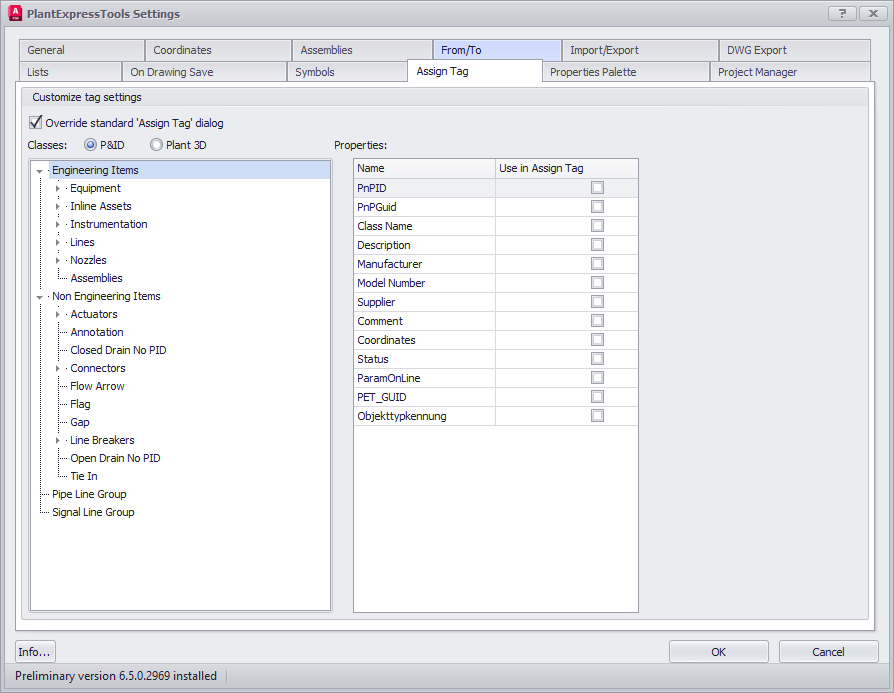
Override standard 'Assign Tag' dialog
If enabled the standard Assign Tag dialog will be replaced with PlantExpressTools Assign Tag dialog.
In PlantDataManager the PlantTools Assign Tag dialog will always be used.
Classes and Properties
Defines which properties should be added to the Assign Tag dialog and which additional Tag Formats should be used.
Next Chapter: Coordinates